FlowDeck is privacy-first PC care for Windows. It reads your machine in real time, tells you plainly what needs attention, and shows you an exact preview of every action — before a single file moves.
Version 1.0.1 · 64-bit Windows 10/11 · On-device intelligence · No account · No ads · No telemetry
Everyday care · Free right now
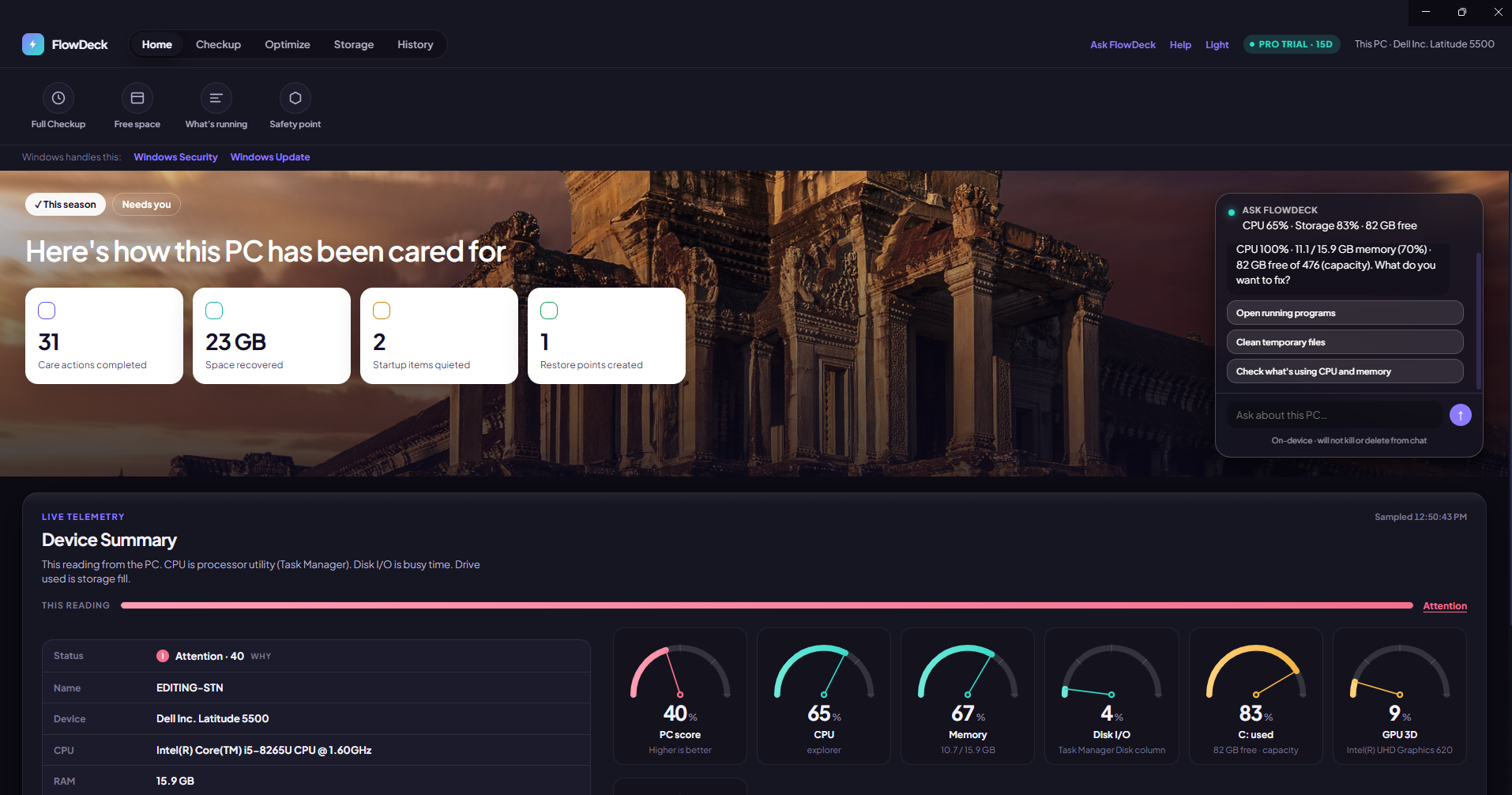
No mystery scores. No invented problems. FlowDeck shows real telemetry from your machine and tells you what it actually means.
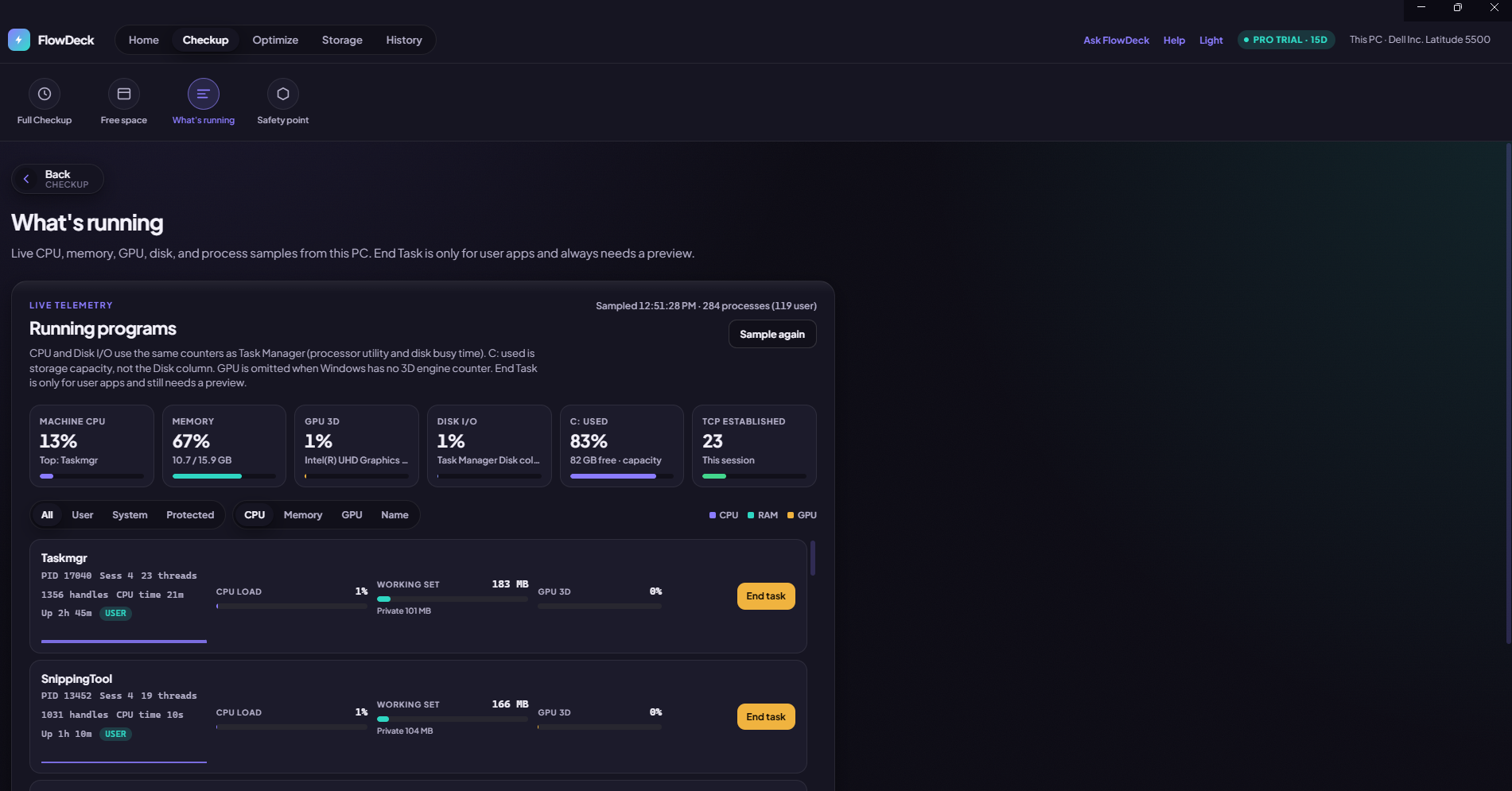
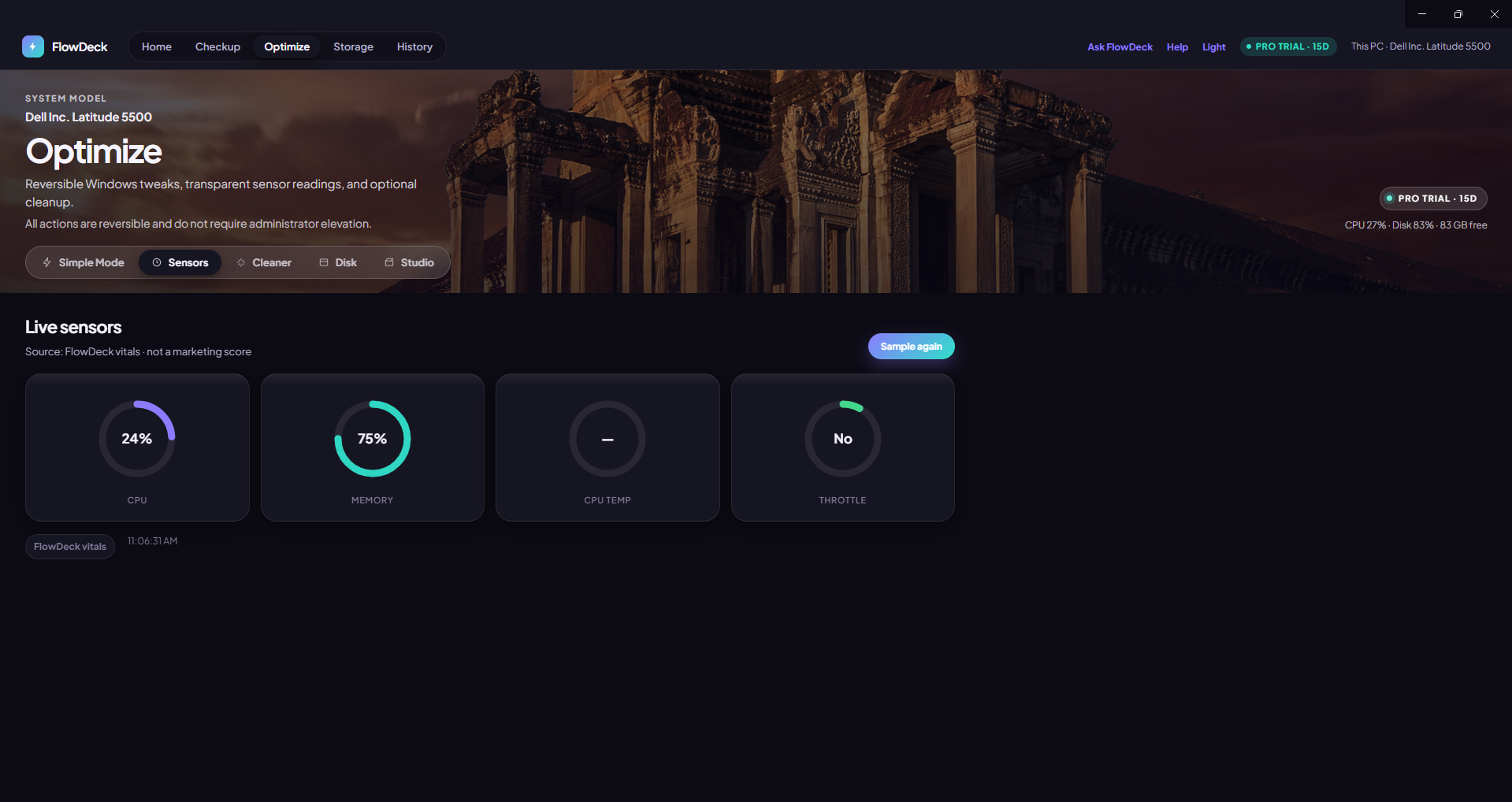
Enterprise-style live telemetry sits right under your care summary: processor utility, memory, Disk I/O busy time, drive capacity, GPU 3D and battery when present — each on its own semicircle gauge, sampled live and labelled with where the number comes from.

Drill into any folder, rank the largest files, and see exactly what is eating your drive. Deletions preview first and land in the Recycle Bin — never a hard delete — and protected operating-system paths simply cannot be removed through FlowDeck.

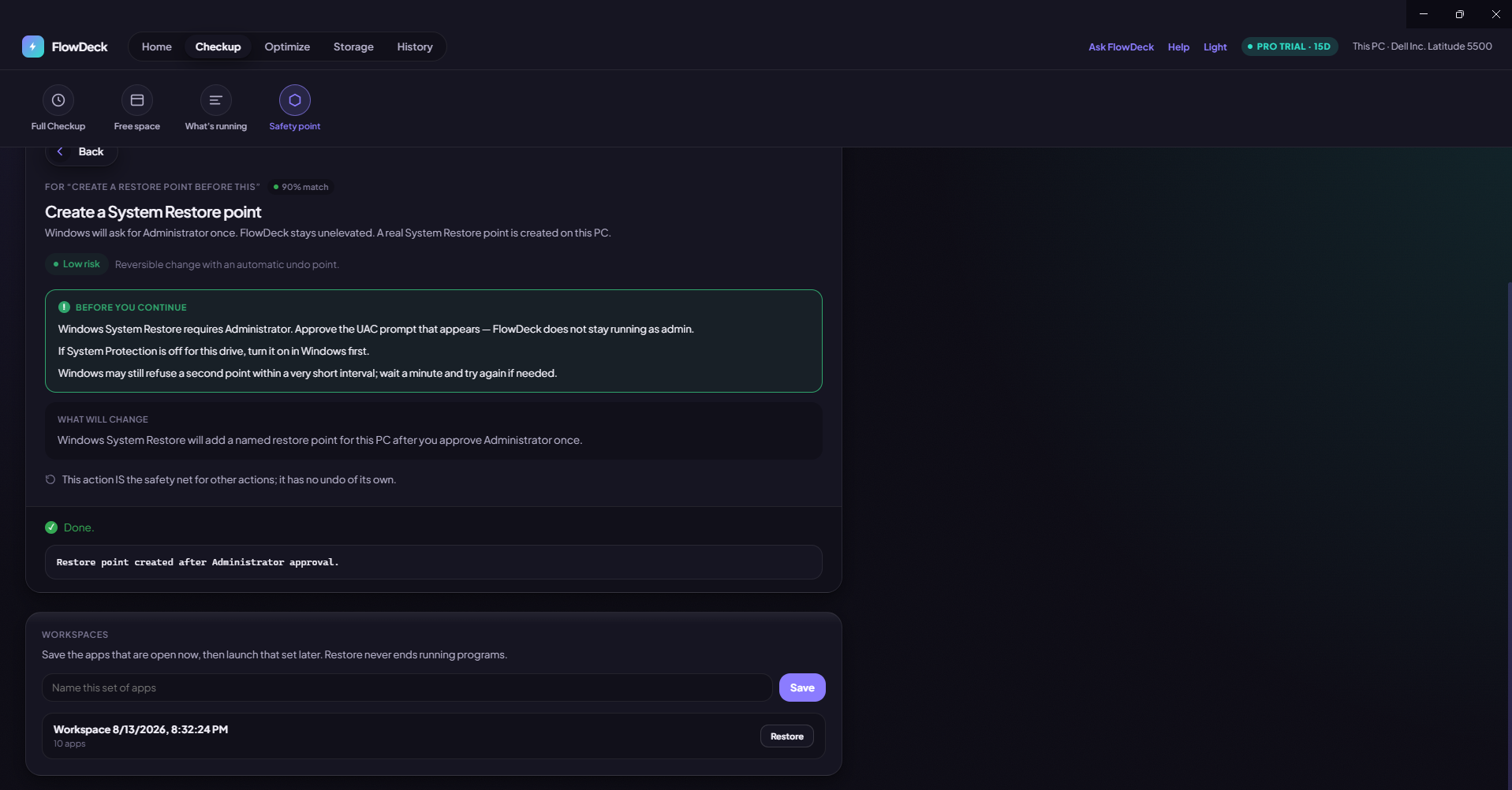
Create a System Restore checkpoint straight from FlowDeck, or save a named workspace of everything you have open right now so you can bring the whole session back later. Confirmed actions land in History with Rewind available wherever an undo plan exists.

Pro tools · 15-day trial on new installs
Every new install unlocks the full Pro toolkit for 15 days — no card, no sign-up. When the trial ends, Pro simply switches off and your Free features keep working.
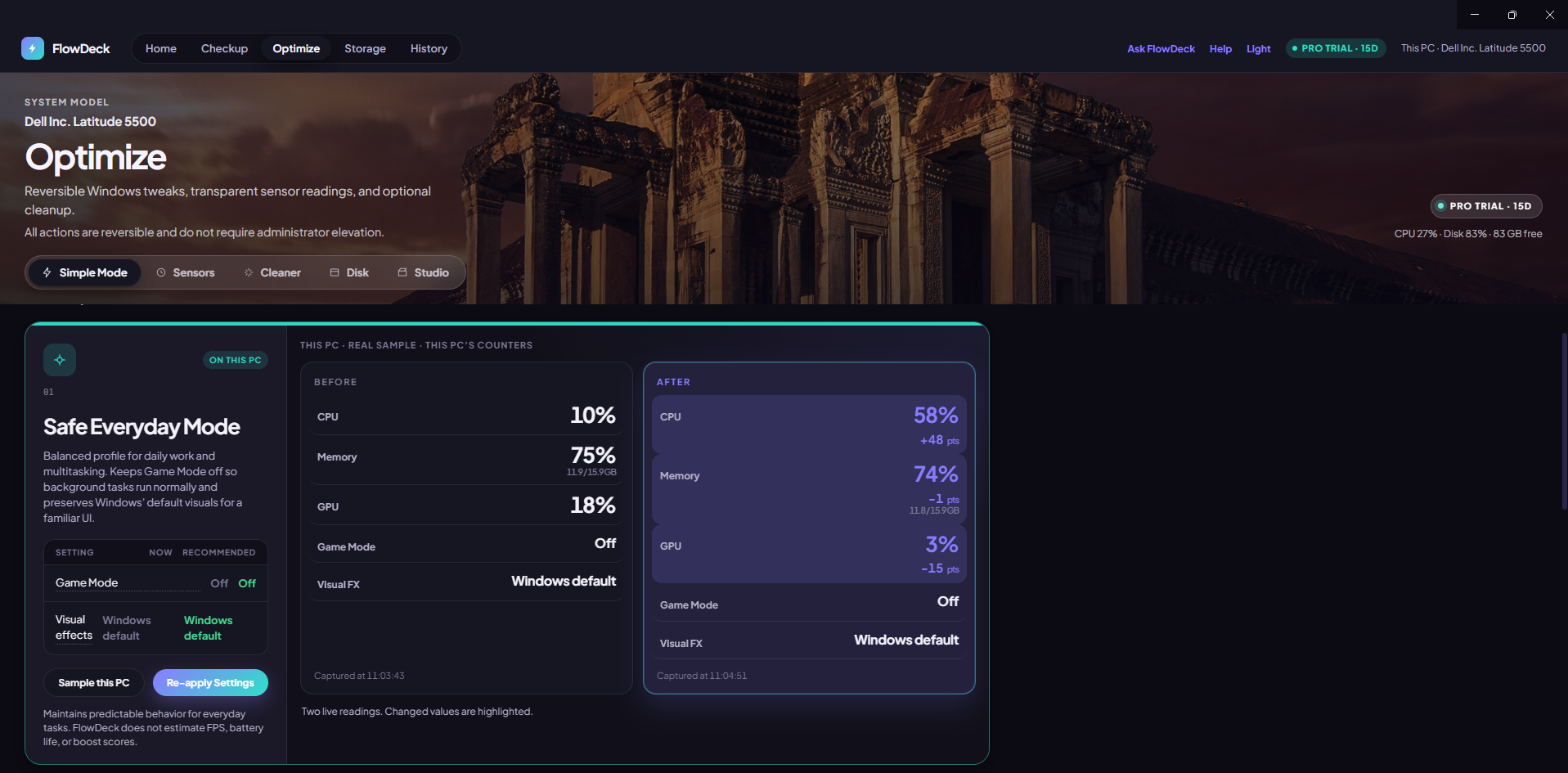
Safe Everyday, Gaming, and Editing & Rendering modes each adjust Windows Game Mode and visual effects for the work in front of you. Every preset previews the exact change, confirms before applying, and stays fully reversible.

Temperatures, clock speeds and dedicated VRAM as your hardware actually reports them — each reading tagged with where it came from (LibreHardwareMonitor, WMI, or vitals). Nothing is smoothed into a made-up health number.

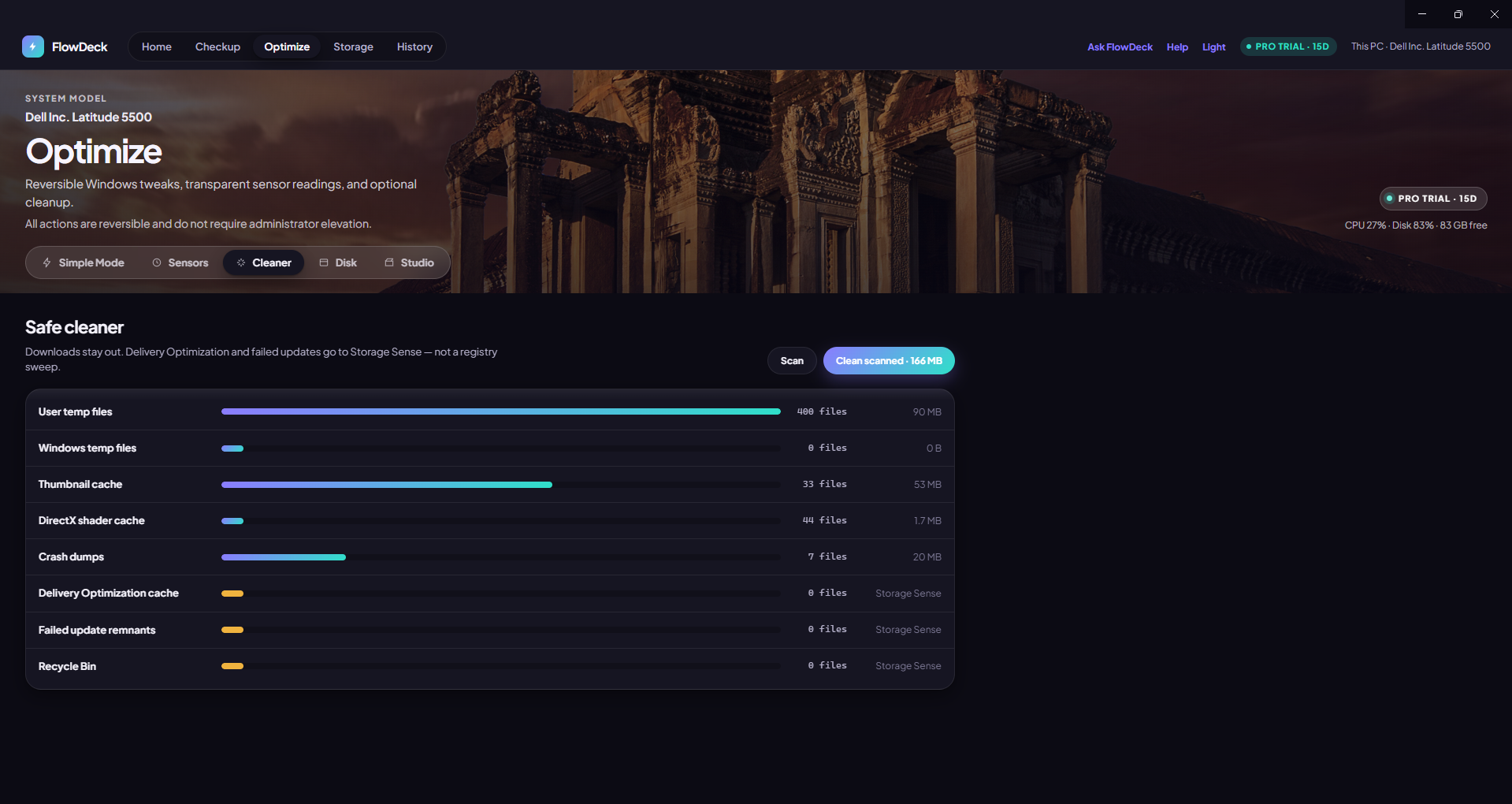
Only genuinely unused temp and cache files, following the 24-hour Windows Temporary files rule. Your Downloads folder is excluded outright, everything routes through the Recycle Bin, and locked files are skipped silently — no endless Retry / Skip / Ignore dialogs.

SMART-style rows for every drive plus a strictly read-only CHKDSK pass. No /f, no /r, no format — FlowDeck reports what the drive says and leaves the decision, and the repair, entirely to you.

The safety contract
Preview-before-execute is enforced in FlowDeck's architecture, not as a UI convention — the executor refuses risky work that was never explicitly confirmed.
What will change, the risk level, and the exact command — shown before anything runs. This cannot be switched off.
Clean and delete paths soft-delete to the Recycle Bin, and a path-risk block list keeps critical system locations off limits.
History and permissions live in a local SQLite database. No account, no ads, no behavioural analytics, no remote telemetry.
Local MiniLM routing turns plain questions into real actions. It will never invent a kill or a delete — and it isn't ChatGPT.
Confirmed actions are logged with Rewind offered wherever a genuine undo plan exists. Startup items are disabled, never deleted.
FlowDeck is not antivirus and makes no fake FPS-boost claims. Windows Security and Windows Update are linked, never faked.
Editions
The core features are available free of charge today, with no payment required. Pro pricing isn't available yet — stay tuned.
| Feature | Free | Pro trial · 15 days |
|---|---|---|
| Home & Device Summary | Included | Included |
| Full Checkup & Storage | Included | Included |
| History & Ask FlowDeck | Included | Included |
| What's running & Startup apps | Included | Included |
| Optimize presets | — | Included |
| Safe Cleaner | — | Included |
| Live sensors & Disk health | — | Included |
| Studio tools | — | Included |
Install FlowDeck, get 15 days of every Pro tool, and keep using the core features free of charge afterwards.
Core features free right now · 15-day Pro trial · 64-bit Windows 10/11